
Step 1
Launch & prepare
Open AutoKey Premium and keep it ready while you work in other Windows apps.
AutoKey Premium helps you keep repetitive input consistent. Pick your keys, choose a timing style, and run it with a dedicated stop hotkey — simple, visible, and stable.
Built for Windows usage: stable behavior, clear feedback, quick control.
Launch, configure, and run without complicated installation steps.
Repeat input with consistent pacing you can tune for your task.
Keep a dedicated stop key ready for immediate cancel.
See when automation is active with visible status feedback.
Designed to keep running smoothly during longer sessions.
Use Administrator mode when a protected app blocks simulated input.
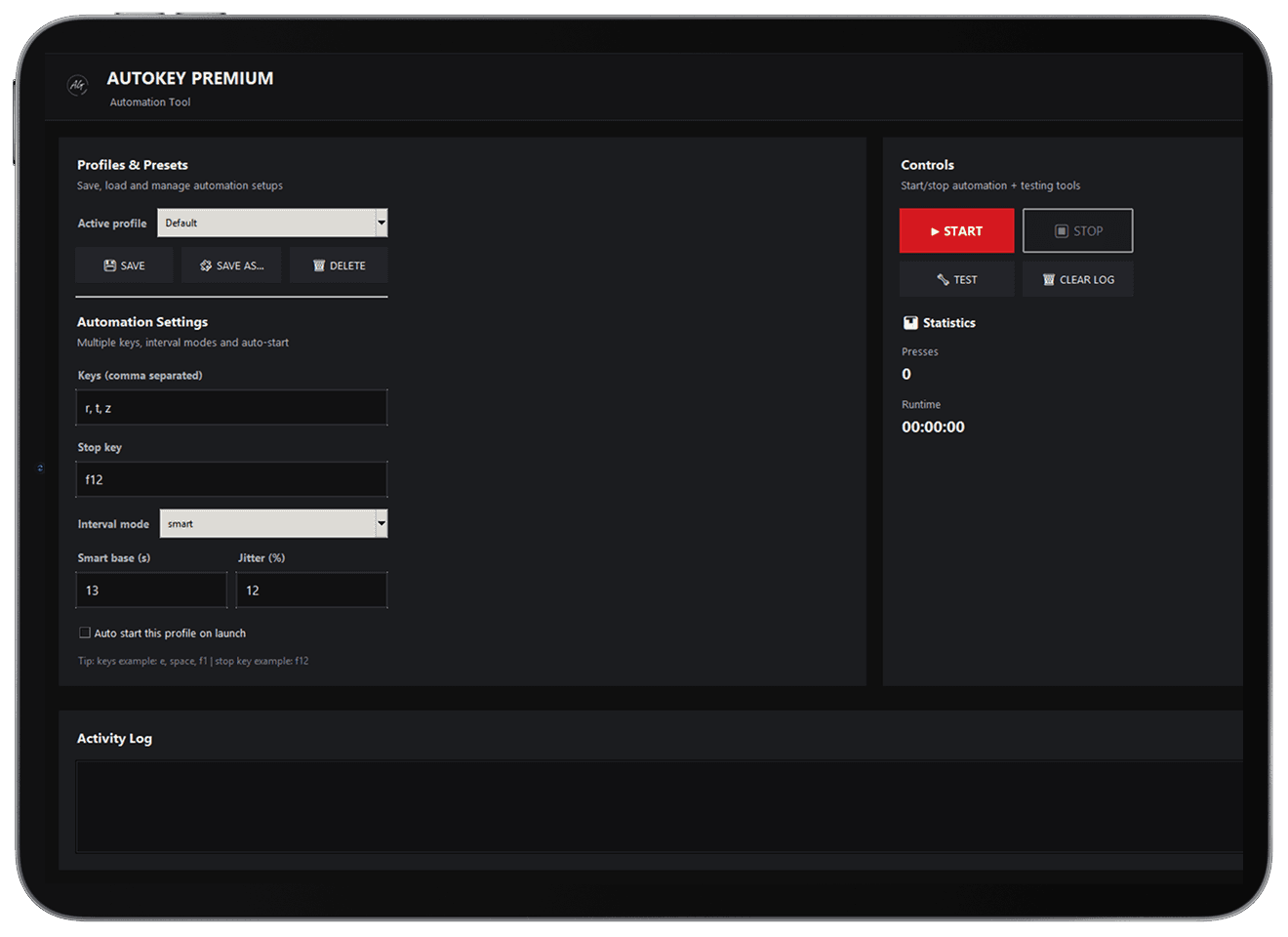
WINDOWS DESKTOP PREVIEW
Configure the essentials, see the run state, and keep control close — without digging through menus.
Run state visibility
Know at a glance whether automation is active or paused.
Safety stop hotkey
Keep a dedicated stop key ready for instant cancel.
Practical logging
Quick activity feedback for confidence during longer runs.
Windows compatibility
Use Admin mode when a protected app blocks simulated input.
A Windows-ready workflow: configure once, control anytime.
Open AutoKey Premium and keep it ready while you work in other Windows apps.
Pick the key you want repeated and adjust the pace to match your workflow.
Set a stop hotkey you can hit instantly to cancel automation at any time.
Start automation, focus the target window, and stop whenever you’re done.
Windows-specific answers: focus, permissions, and safe control.
It’s a tool that repeats a chosen keyboard input on a timer, useful for repetitive tasks.
In many apps, yes. Some programs only accept simulated input when they are the active window.
Use the dedicated stop hotkey — set one you can reach instantly.
Some Windows apps run with higher privileges and may ignore simulated input unless AutoKey Premium matches that level.
Yes. It’s designed to stay stable during extended runtime, with visible status and simple feedback.
Depending on your build, you can run multiple keys or use profiles/presets to switch setups quickly.
Some automation tools get false positives. Use the VirusTotal link on the download page to verify the file.
Only if it’s allowed. Many games/services forbid automation — check their rules before using it.